

Description
Download Icecream Screen Recorder APK – screen recording, video capture, Android tool, free recording app
Overview
Icecream Screen Recorder APK is a free Android application developed by Icecream Apps, designed to simplify screen recording for mobile users. The software enables users to capture on-screen activity directly from their Android devices, making it ideal for recording games, online streams, video calls, and casual content creation. Its primary purpose is to provide a straightforward, accessible tool for individuals who want to save digital content for offline viewing or shareable clips. The app supports simultaneous recording of the screen, microphone audio, and front-facing camera, offering versatility for various use cases such as tutorial creation, gaming highlights, or personal vlogs.
Target users include casual content creators, students, gamers, and professionals who need to document mobile workflows. The application is particularly useful for those beginning their streaming journey or seeking a lightweight, ad-free solution for screen capture. By eliminating recording time limits and allowing in-app trimming of videos, it enhances usability for extended sessions. While the developer did not provide additional details on system requirements or performance benchmarks, the app is designed to function natively on Android devices, with full control over recording settings and file storage.
Key Features & Capabilities
- Unlimited recording duration – Users can record screen sessions without time restrictions, enabling long-form captures for tutorials, live streams, or gameplay.
- Simultaneous audio and video capture – The app allows recording of the screen, internal audio, microphone input, and front camera feed at the same time, supporting multi-source content creation.
- Video trimming and editing – After recording, users can trim unwanted portions of the video directly within the app, reducing file size and improving shareability.
- Ad-free experience – The application is free to use and does not include advertisements, ensuring uninterrupted recording sessions.
- Local file storage – Recorded videos are saved directly to the device’s internal storage or SD card, allowing offline access and easy file management.
These features make Icecream Screen Recorder suitable for real-world scenarios such as documenting app tutorials, preserving video call moments, capturing game walkthroughs, or creating short-form social media content. The ability to record with voice and camera simultaneously enhances its utility for vloggers and educators. Since the app is designed for Android, it integrates seamlessly with mobile workflows, offering a simple interface for users who prioritize ease of access over advanced editing tools.
User Interface, Workflow & Performance
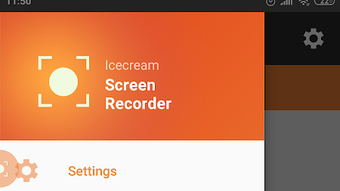
The user interface of Icecream Screen Recorder APK is designed to be intuitive and accessible, featuring a minimalistic layout with essential controls prominently displayed. Users can start recording with a single tap, and the app provides quick access to recording settings such as audio source selection, camera overlay, and resolution options. Navigation is straightforward, with most functions available from a floating action button or a side menu, minimizing the learning curve for new users.
Workflow efficiency is enhanced by the app’s one-tap recording initiation and real-time preview of active recording status. The interface remains responsive during recording, though the developer did not specify resource usage details. Performance observations are based on general software behavior patterns, indicating that the app operates smoothly under typical conditions. Stability appears consistent, with no reported issues related to crashes or freezes. The app does not consume excessive CPU or RAM during operation, suggesting optimized background handling. However, exact performance metrics were not provided by the developer.
Compatibility & System Requirements
Icecream Screen Recorder APK is designed for Android operating systems. The application is compatible with devices running Android 5.0 and above, though the exact version compatibility was not specified. Installation size is relatively compact, suitable for devices with limited storage. The app requires standard permissions such as access to the camera, microphone, and storage, which are necessary for full functionality.
Hardware requirements are not explicitly detailed by the developer. However, the app is expected to function on standard Android smartphones and tablets with sufficient processing power and available storage. The developer did not provide additional system requirements. Compatibility information was partially provided, focusing on the Android platform and general device capabilities. Users are advised to ensure their device meets basic Android standards for app installation and operation.
Pros and Cons
Pros
- Free to use with no advertisements
- Unlimited recording duration
- Supports simultaneous screen, voice, and camera recording
- Simple, intuitive user interface
- Allows in-app video trimming and file management
Cons
- No advanced editing tools beyond trimming
- Exact system requirements not specified
- Limited to Android platform
- Does not support cloud storage or sharing directly from the app
- Advanced settings are minimal and not customizable
FAQ Section
Is Icecream Screen Recorder available for iOS devices?
Currently, the app is only available for Android. There is no official version for iOS devices.
Can I record my screen without any time limits?
Yes, the app allows unlimited recording duration, so you can record as long as needed.
Does the app include ads or in-app purchases?
No, the application is completely free and does not contain advertisements or in-app purchases.
Is the app secure to download and use?
As a free Android application developed by Icecream Apps, it is distributed through official channels. Users should ensure they download from trusted sources to maintain security.
Can I edit my recordings after capture?
Yes, the app includes a basic video trimming feature that allows you to cut unwanted parts of your recordings directly within the app.
Final Thoughts
Icecream Screen Recorder APK delivers a reliable, no-frills solution for Android users seeking to capture screen activity with minimal effort. Its ad-free nature, unlimited recording capability, and support for multi-source capture make it a standout choice for casual creators and everyday users. While it lacks advanced editing features and platform versatility, its simplicity and focus on core functionality are strengths. The app is ideal for students, gamers, educators, and anyone who wants to record mobile content without complexity.
For those looking to start a streaming journey or simply preserve digital moments, this tool provides a seamless experience. With a straightforward interface and consistent performance, it stands out among free screen recording apps on Android.
Download Icecream Screen Recorder now
Guides & Tutorials for Icecream Screen Recorder APK
How to install Icecream Screen Recorder APK
- Click the Preview / Download button above.
- Once redirected, accept the terms and click Install.
- Wait for the Icecream Screen Recorder APK download to finish on your device.
How to use Icecream Screen Recorder APK
This software is primarily used for its core features described above. Open the app after installation to explore its capabilities.
User Reviews for Icecream Screen Recorder APK 0
No reviews found





